
OpenClaw 🦞


「EXFOLIATE! EXFOLIATE!」 — 可能是一隻太空龍蝦
跨 WhatsApp、Telegram、Discord、iMessage 等的任何 OS AI 代理程式 Gateway 閘道器。
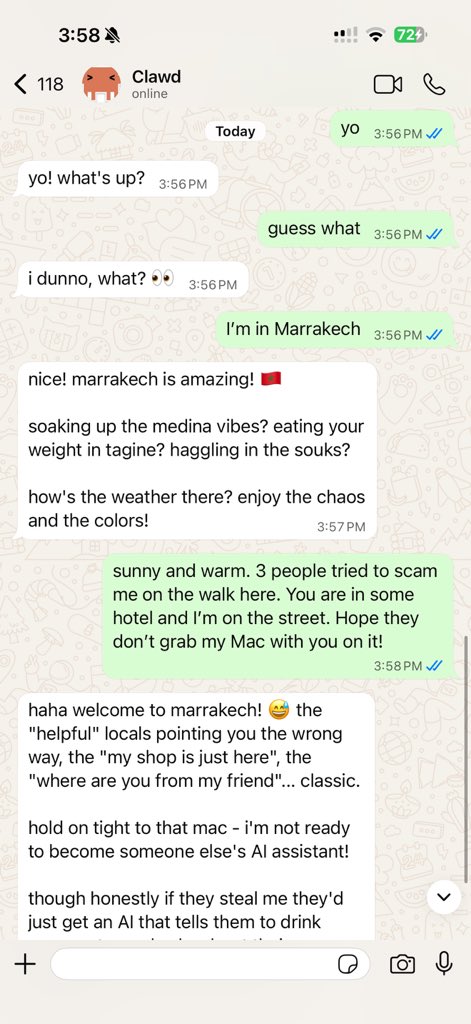
傳送一則訊息,從口袋裡就能取得代理程式回應。外掛可加入 Mattermost 等更多通道。
Send a message, get an agent response from your pocket. Plugins add Mattermost and more.
openclaw onboard and pairing flows.
What is OpenClaw?
OpenClaw 是一個 自架的 Gateway 閘道器,可將你喜愛的聊天應用程式——WhatsApp、Telegram、Discord、iMessage 等——連接到像 Pi 這樣的 AI 程式設計代理程式。你只需在自己的機器(或伺服器)上執行單一 Gateway 閘道器程序,它就會成為你的訊息應用程式與隨時可用的 AI 助手之間的橋樑。 You run a single Gateway process on your own machine (or a server), and it becomes the bridge between your messaging apps and an always-available AI assistant.
Who is it for? Developers and power users who want a personal AI assistant they can message from anywhere — without giving up control of their data or relying on a hosted service.
有何不同?
- 自架:在你的硬體上執行,遵循你的規則
- 多通道:單一 Gateway 閘道器可同時服務 WhatsApp、Telegram、Discord 等
- 以代理程式為核心:為程式設計代理程式打造,支援工具使用、工作階段、記憶與多代理路由
- 開放原始碼:MIT 授權,社群驅動
需要什麼? Node 22+、一把 API 金鑰(建議使用 Anthropic),以及 5 分鐘。
How it works
flowchart LR
  A["Chat apps + plugins"] --> B["Gateway"]
  B --> C["Pi agent"]
  B --> D["CLI"]
  B --> E["Web Control UI"]
  B --> F["macOS app"]
  B --> G["iOS and Android nodes"]
The Gateway is the single source of truth for sessions, routing, and channel connections.
Key capabilities
Quick start
bash
    npm install -g openclaw@latest
bash
    openclaw onboard --install-daemon
bash
    openclaw channels login
    openclaw gateway --port 18789
需要完整安裝與開發設定嗎?請參閱 Quick start。 See Quick start.
Dashboard
Gateway 閘道器啟動後,開啟瀏覽器 Control UI。
- Local default: http://127.0.0.1:18789/
- 遠端存取:Web surfaces 與 Tailscale
Configuration (optional)
設定位於 ~/.openclaw/openclaw.json。
- 若你 什麼都不做,OpenClaw 會以 RPC 模式使用隨附的 Pi 二進位檔,並為每位寄件者建立工作階段。
- 若你想加強限制,請從
channels.whatsapp.allowFrom開始,並(針對群組)設定提及規則。
範例:
{
  channels: {
    whatsapp: {
      allowFrom: ["+15555550123"],
      groups: { "*": { requireMention: true } },
    },
  },
  messages: { groupChat: { mentionPatterns: ["@openclaw"] } },
}